Buying a smart LED TV can feel confusing with all the jargon — 4K, QLED, refresh rate, smart platforms. This guide cuts through it and walks you through every decision in plain language, so you choose the right TV for your room and budget in Pakistan without overpaying for features you don't need.
Step 1: Choose the right screen size
Size is the decision people most often get wrong — and almost always by going too small. Match the screen to your viewing distance:
| Viewing distance | Recommended size |
|---|---|
| 5–6 ft (bedroom) | 32"–43" |
| 7–9 ft (lounge) | 50"–55" |
| 10 ft+ (large hall) | 55"–65"+ |
When in doubt, go one size up — you'll rarely regret a bigger screen, but a too-small TV disappoints every day.
Step 2: HD or 4K?
Resolution is the number of pixels. 4K (Ultra HD) has four times the detail of Full HD and is clearly worth it from about 50 inches upward, where the extra sharpness is visible. At 32 inches, however, 4K detail is hard to see from a normal viewing distance, so a sharp HD or QLED HD set is perfectly fine and saves money. Buy 4K for big screens; don't overpay for it on small ones.
Step 3: LED, QLED or OLED?
- LED — the standard, most affordable panel; good everyday picture.
- QLED — adds a quantum-dot layer for richer colour and higher brightness; the value sweet spot, ideal for bright Pakistani lounges.
- OLED — premium, with perfect blacks and contrast (each pixel lights itself), but much pricier and mostly in flagships.
For most buyers, a good QLED 4K TV delivers the best picture-per-rupee.
Step 4: Smart platform and apps
Almost all new TVs are "smart" with built-in Wi-Fi and apps. Check that your must-have apps (Netflix, YouTube, local streaming) are supported on the exact model. Google TV / Android systems (common on TCL and Haier) offer the widest app selection and built-in Chromecast; Samsung's Tizen is fast and polished. For a new TV, a built-in smart platform is simpler and tidier than adding a separate Android box.
Step 5: Refresh rate and gaming
For films, dramas and news, a standard 60Hz panel is perfectly fine. If you game on a PlayStation or Xbox, look for a 120Hz panel with low input lag and ALLM for smoother, more responsive play. It's a feature worth paying for only if you actually game; otherwise put the money toward a bigger screen or better panel.
Step 6: Check the ports
Ports are easy to overlook until you're short one. Aim for at least 2–3 HDMI ports — for a soundbar, a console and a TV box or dish receiver — with at least one HDMI-ARC for easy soundbar connection. A couple of USB ports for media and built-in Wi-Fi round it out. Entry models can be sparse, so confirm on the spec sheet.
Step 7: Sound — do you need a soundbar?
Modern slim TVs have small speakers, so dialogue and bass can feel thin in a large room. Built-in sound is fine for a bedroom, but for a big lounge a soundbar dramatically improves the experience for a modest extra cost. Any brand's soundbar works with any TV over HDMI-ARC or optical.
Mounting and placement
Mount the TV at eye level from your usual seat, and avoid placing it directly opposite a bright window where glare washes out the picture. A wall mount keeps it safe and tidy — just confirm the VESA mount size for your model. Use a stabiliser or surge protector against voltage spikes, which are common in Pakistan.
Real prices (2026)
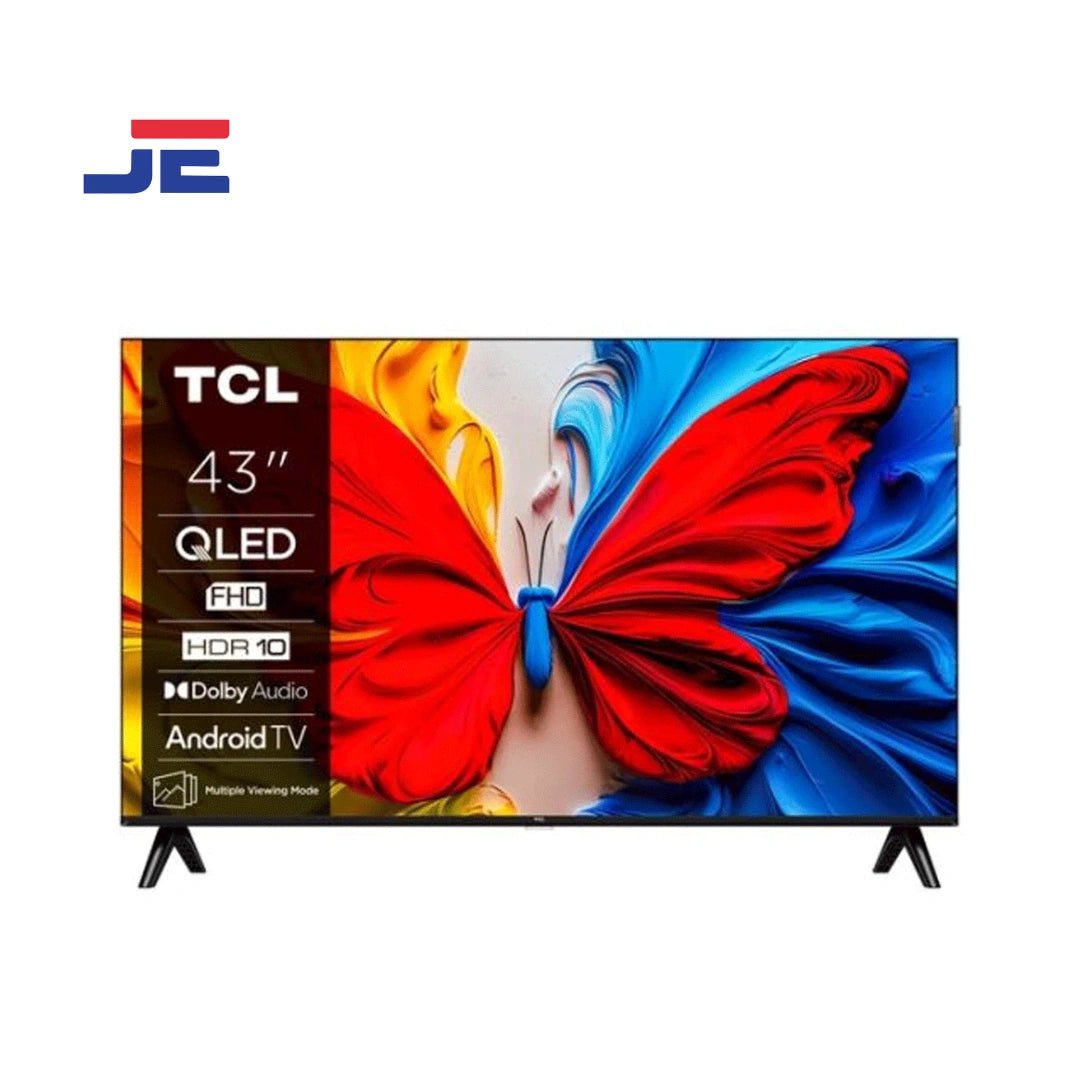
At Inspire Home Store, TVs start from around Rs 47,000 for a 32" QLED (TCL 32S51K), with 43" QLED 4K sets (Haier 43S81EUX) around Rs 90,000, and large premium 4K/QLED models running well past Rs 200,000. See the live range on the LED TV price page, and our pick of models in the best LED TV roundup.
Your quick buying checklist
- ☐ Size for your viewing distance (go one up if unsure)
- ☐ 4K for 50"+, HD/QLED fine at 32"
- ☐ QLED for the best value picture
- ☐ Smart platform with your apps
- ☐ 2–3 HDMI ports incl. ARC
- ☐ Soundbar for a large lounge
- ☐ Panel warranty from an authorised seller
Best TV for your budget
- Entry (Rs 45,000–60,000): a 32" QLED like the TCL 32S51K — perfect for a bedroom.
- Mid (Rs 90,000–150,000): a 43"–50" QLED 4K (e.g. Haier 43S81EUX) — the lounge sweet spot.
- Premium (Rs 200,000+): large 55"–65" 4K/QLED sets, or a Samsung flagship for the best picture.
See our full picks in the best LED TV roundup.
Energy use
LED and QLED TVs are energy-efficient, but a very large 4K set running many hours a day still adds to the bill — so on bigger sizes, glance at the energy rating. Sensible brightness settings and turning the TV fully off (not just standby) overnight also trim consumption. For a bedroom-size set, energy use is negligible; it only really matters at 55 inches and above with heavy daily use.
Common mistakes when buying a TV
- Buying too small for the room — the most common regret.
- Paying for OLED in a bright lounge — QLED's brightness often suits better.
- Ignoring the smart platform — check your apps are supported.
- Forgetting sound and ports — budget a soundbar and confirm enough HDMI inputs.
- Skipping surge protection — a voltage spike can kill a panel.
The bottom line
For most Pakistani homes, a TCL QLED 4K at 43"–55" hits the sweet spot of size, picture and price; step up to Samsung for the best panel, or choose Haier for a balanced, well-serviced option. Nail the size for your room first, then resolution and panel, then smart platform and ports — get that order right and you'll love the TV every day.
Setting up your new TV
A few minutes of setup makes a big difference to the picture. Connect to Wi-Fi and run the software update first, then pick a sensible picture mode — "Movie" or "Cinema" modes are usually the most accurate, while "Vivid" or "Dynamic" oversaturate. Turn off unnecessary motion-smoothing for film and drama (it creates the "soap opera" look), set brightness to suit your room, and enable any energy-saving mode that doesn't hurt the picture. These tweaks take five minutes and noticeably improve what you see.
TV stand vs wall mount
Both are fine — it comes down to your space and safety. A wall mount keeps the TV secure (important with children around), saves surface space and looks clean, but you'll need the correct VESA-size bracket and a solid wall. A stand or media unit is simpler, needs no drilling, and gives you a surface for a soundbar and devices. Whichever you choose, position the screen at eye level from your usual seat and away from window glare.
Real prices (2026)
At Inspire Home Store, TVs start around Rs 47,000 for a 32" QLED, with 43" QLED 4K sets around Rs 90,000 and large premium models well past Rs 200,000. Compare the full live range on the LED TV price page, and see our top picks in the best LED TV roundup.
The bottom line
Buying a TV is simpler than the jargon suggests if you take it in order: pick the size for your room (go one up if unsure), then decide resolution (4K for 50"+, HD/QLED fine at 32"), then panel (QLED is the value sweet spot), and finally check the smart platform and ports. For most Pakistani homes, a TCL or Haier QLED 4K at 43"–55" delivers a fantastic picture for the money, with Samsung the premium choice. Add a soundbar for a large lounge, protect it with a stabiliser, and you're set for years of great viewing.
Frequently asked questions
What size TV should I buy? 32"–43" for bedrooms, 50"–55" for lounges, 55"+ for large halls.
Is 4K worth it? Yes from about 50" up; at 32" it's hard to notice.
What is the difference between LED, QLED and OLED? LED is standard; QLED adds richer colour and brightness; OLED has the best contrast but costs more.
Do I need a 120Hz TV? Only if you game on a console; 60Hz is fine for everything else.
How many HDMI ports do I need? At least 2–3, with one HDMI-ARC for a soundbar.
Do I need a soundbar? For a large lounge, yes; built-in speakers suit a bedroom.
What's the best picture mode? "Movie" or "Cinema" modes are usually the most accurate; "Vivid"/"Dynamic" oversaturate the colours.
Should I wall-mount or use a stand? Either works — wall mount for safety and space (check the VESA size), a stand for simplicity and a soundbar surface.
Is a smart TV better than adding an Android box? For a new TV, yes — a built-in smart platform is simpler, faster and tidier than a separate box.
Do you offer cash on delivery? Yes — with delivery across Rawalpindi & Islamabad and nationwide shipping.